You said essay. You're on YouTube. Tolby asks.
Get more of your day spent on what you actually meant to do. Tolby is a Mac app that checks in, briefly, when you drift. It doesn't block anything. It asks, and you decide.
Your screen is read on your Mac. Recordings and images never leave it.

Your screen is read on your Mac. Recordings and images never leave it.
How it works
Say it once. It notices the rest.
-
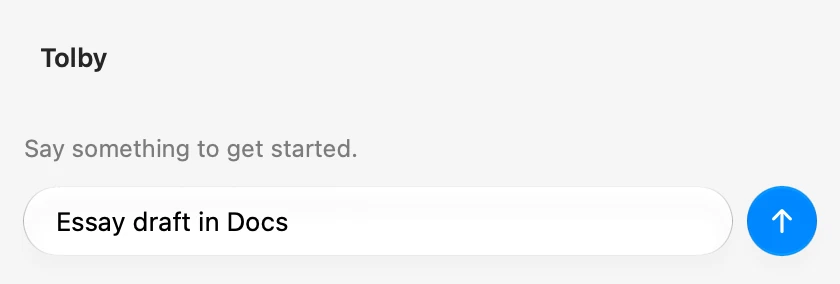
Say what you're about to do
In your own words. "Essay draft in Docs." "YouTube until this video ends." Downtime counts if you choose it.
-
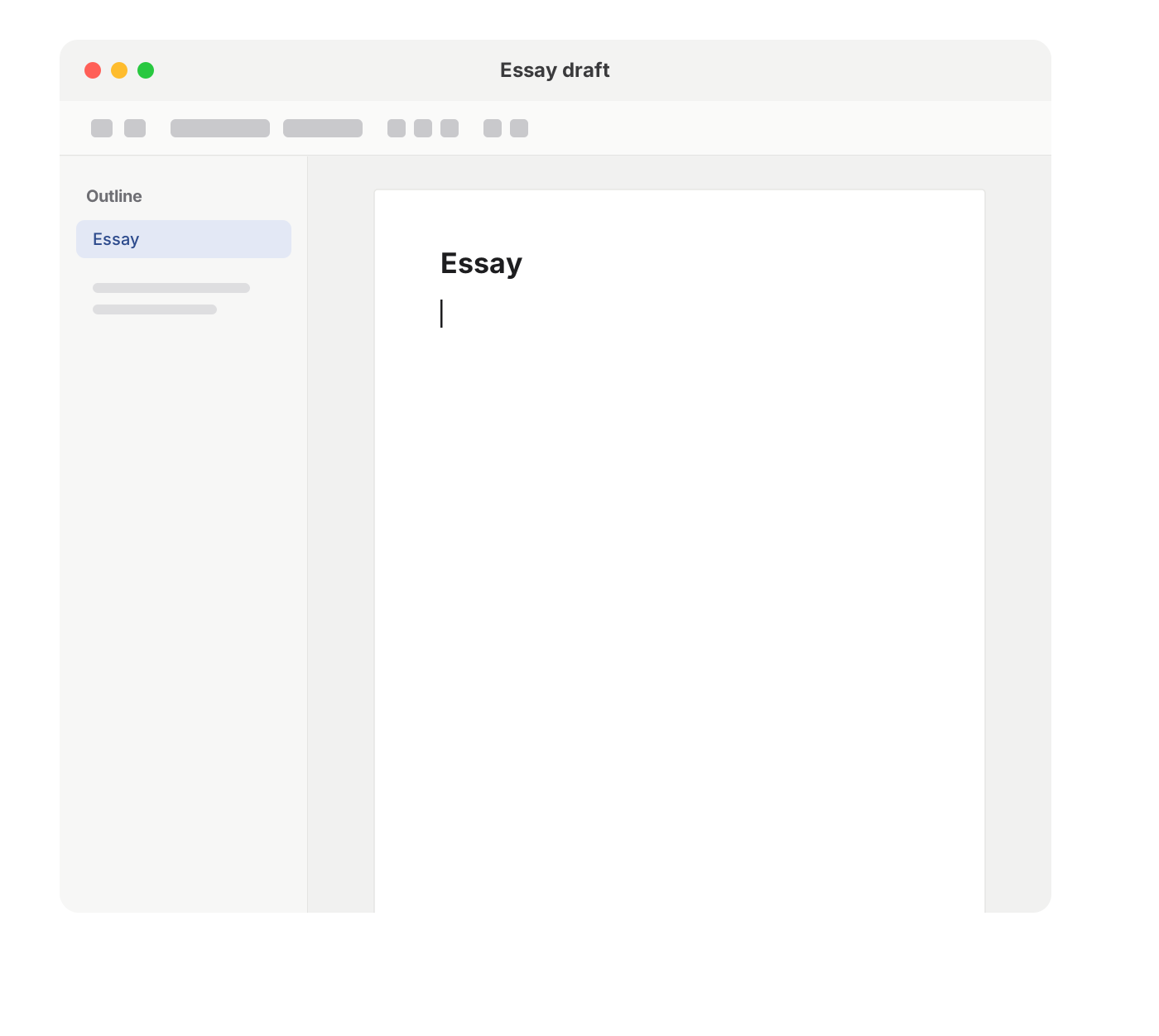 No check-in. You're on track.
It reads your screen, on your Mac
A model on your Mac compares what's on screen with what you said. While they match, you won't hear from it.
-
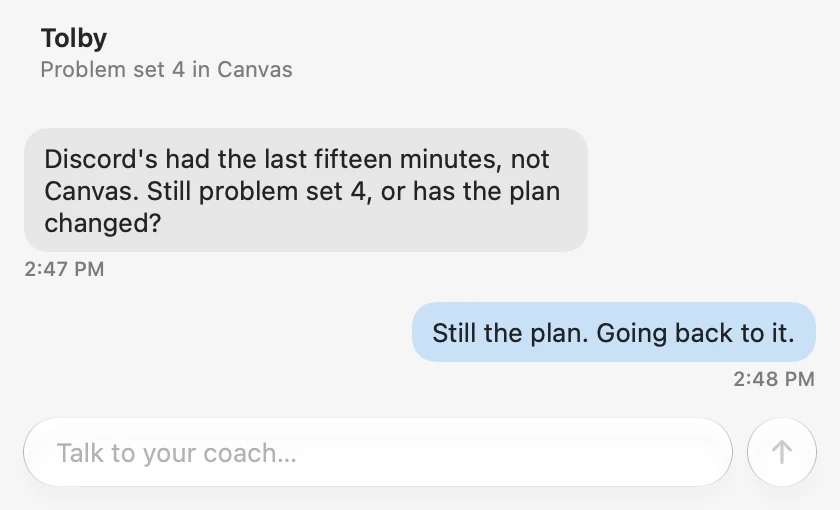
When you drift, Wren asks
A short chat. Go back, change the plan, or talk through why it's hard. It tries to interrupt less as it learns you.


Privacy
It watches your screen. So here's exactly what that means.
Nobody else sees your screen. Not me, not anyone.
Never leaves your Mac
- Screen recordings, and the text read off your screen. Always.
- The model that judges what you're doing.
- On the free tier, everything.
- By default, recordings are kept a week, then deleted. You can choose to keep them.
Leaves it, on Tolby+ only
- Text only: your intention, the chat, Wren's notes about you, the app you're in and its window title, and a short written note about what's on screen. No images, ever.
- The note goes out as often as once a minute while you're active, even when Wren stays quiet.
- ID, card, and bank numbers, and anything shaped like a password or key, are filtered out first, and a title with an ID number in it is held back. On banking and medical sites, titles show only the kind of site, and a second check on your Mac holds the note back if it carries private details.
- My server keeps no conversations, only usage counts and license checks. The full list.
I don't train on your data
I can't train on your screen, because it never reaches me. And I won't train on anything you do send, including your chats with Wren.
How it's different
Blockers decide for you. Tolby asks, and you decide.
A blocker
Takes the choice away. Works until you find the off switch.
A tracker
Tells you later, in a chart, where the day went. If you remember to open it.
Tolby
Asks in the moment, while you can still choose. You don't have to remember it; it remembers you. Nothing blocked, nothing scored.
Why it exists
I've always struggled to get my work done. In college it started costing me. My friends seemed to get by fine while I could barely stay on track. I started by having Claude check in on me, and it helped enough that I spent a summer building a real app for it. Selling it pays for making it better, for me and for you.
 Everett, made Tolby
From a tester
I've had other productivity apps like Todoist, Google Calendar, and Self Control, but none have been as successful as Tolby at holding me accountable. I've had many times where using Tolby has helped pull me out of rabbit holes.
Pricing
Free, all on your Mac. Paid, and your Mac does less.
Tolby
Free
The whole app, with the coach running on your Mac. Nothing leaves it.
Download free Coming soonTolby+
Founding price$8 / month, or $72 / year
Moves the coach online, so your Mac isn't running it. Easier on battery and fans. Your price stays locked while you're subscribed.
Get Tolby+ Coming soonTolby+ Extra
$20 / month, or $180 / year
Room to spare. In normal use, it never has to pace, so the online coach is there all month.
Get Extra Coming soonCheckout isn't live yet. Join the waitlist to hear when paid plans open. They'll have a monthly usage budget, paced across the month so it lasts — if you get ahead of that pace, or reach the budget, Wren uses the coach on your Mac for a while instead.
Questions
Does it block things?
No. It asks. What you do next is up to you.
Why won't it just make me do it?
If Screen Time limits work for you, great: they're already on your Mac, for free. But if you've tapped "Ignore limit" more times than you can count, or uninstalled a blocker after a few weeks, Tolby is built for you. It doesn't force anything. It keeps asking, follows up when you drift again, and helps you get back, so over time you get better at choosing.
Who sees my screen?
No one. It's read on your Mac and never uploaded. On Tolby+, a short text note about it and the window title go to the online coach along with your intention and the chat, as described above.
What if I'm offline?
It keeps working. The free version runs entirely on your Mac once the model has downloaded. On Tolby+, Wren switches to the coach on your Mac until you're back online.
Battery?
It runs a model on your Mac every few minutes, so it costs some battery. How much depends on your Mac and what you're doing. Tolby+ moves the coach off your Mac, which uses less.
Storage?
By default, recordings are kept for a week, then deleted, which comes to about 5 to 7GB. You can keep them longer, or keep everything. The model downloads once, on first run, and takes about 6 to 7GB, depending on your Mac's memory.
Will it run on my Mac?
Apple Silicon with 12GB of memory or more, on macOS 26 or later. Intel Macs aren't supported and likely won't be. 8GB Macs are in progress, and Windows is planned. Leave your email to hear when it's ready.
Does it block things?
No. It asks. What you do next is up to you.
Why won't it just make me do it?
If Screen Time limits work for you, great: they're already on your Mac, for free. But if you've tapped "Ignore limit" more times than you can count, or uninstalled a blocker after a few weeks, Tolby is built for you. It doesn't force anything. It keeps asking, follows up when you drift again, and helps you get back, so over time you get better at choosing.
Who sees my screen?
No one. It's read on your Mac and never uploaded. On Tolby+, a short text note about it and the window title go to the online coach along with your intention and the chat, as described above.
What if I'm offline?
It keeps working. The free version runs entirely on your Mac once the model has downloaded. On Tolby+, Wren switches to the coach on your Mac until you're back online.
Battery?
It runs a model on your Mac every few minutes, so it costs some battery. How much depends on your Mac and what you're doing. Tolby+ moves the coach off your Mac, which uses less.
Storage?
By default, recordings are kept for a week, then deleted, which comes to about 5 to 7GB. You can keep them longer, or keep everything. The model downloads once, on first run, and takes about 6 to 7GB, depending on your Mac's memory.
Will it run on my Mac?
Apple Silicon with 12GB of memory or more, on macOS 26 or later. Intel Macs aren't supported and likely won't be. 8GB Macs are in progress, and Windows is planned. Leave your email to hear when it's ready.
Spend the day the way you meant to.
macOS · Apple Silicon · 12GB+ memory
Join the waitlist — Tolby will email you.